Sales Lead Form Creator
Free Sales Lead Form Generator
This free sales lead form generator creates responsive HTML with the essential lead capture fields: name, company, email, phone, and message. Copy the code as HTML, React, or Vue, or connect it to Formcarry and start collecting leads by email in minutes.
Copy Code
<section class="formcarry-container">
  <form action="https://formcarry.com/s/YOUR-FORM-ID" method="POST" enctype="multipart/form-data">
    <div class="formcarry-block">
      <label for="fc-generated-1-name">Full Name</label>
      <input type="text" id="fc-generated-1-name" name="name" placeholder="John Doe" />
    </div>

    <div class="formcarry-block">
      <label for="fc-generated-1-company">Company Name</label>
      <input type="text" id="fc-generated-1-company" name="company" placeholder="Acme Inc." />
    </div>

    <div class="formcarry-block">
      <label for="fc-generated-1-email">Email Address</label>
      <input type="email" id="fc-generated-1-email" name="email" placeholder="john@doe.com" />
    </div>

    <div class="formcarry-block">
      <label for="fc-generated-1-tel">Phone Number</label>
      <input type="tel" id="fc-generated-1-tel" name="tel" placeholder="Your phone number" />
    </div>

    <div class="formcarry-block">
      <label for="fc-generated-1-message">Your message</label>
      <textarea id="fc-generated-1-message" name="message" placeholder="Your message"></textarea>
    </div>

    <div class="formcarry-block">
      <button type="submit">Send</button>
    </div>
  </form>
</section>

<style>

    @import url('https://fonts.googleapis.com/css2?family=Inter:wght@400;500&display=swap');

    .formcarry-container {
      box-sizing: border-box;
      margin: 40px auto 0 auto;
      padding: 0;
      font-family: "Inter", sans-serif;
      font-size: 14px;
      font-weight: 400;
      line-height: 24px;
      letter-spacing: -0.01em;

      width: 400px;

      /* NORMAL */
      --fc-border-color: #ECEFF9;
      --fc-normal-text-color: #0E0B3D;
      --fc-normal-placeholder-color: #B3B8D0;

      /* PRIMARY COLOR | HSL FORMAT*/
      --fc-primary-color-hue: 220;
      --fc-error-color-hue: 356;
      --fc-primary-hsl: var(--fc-primary-color-hue), 100%, 54%;
      --fc-error-hsl: var(--fc-error-color-hue), 100%, 54%;

      /* HOVER */
      --fc-field-hover-bg-color: #F7F9FC;
      --fc-border-hover-color: #DDE0EE;
      --fc-field-hover-text-color: #B3B8D0;

      --fc-border-active-color: #1463FF;
    }

    .formcarry-container * {
      box-sizing: border-box;
    }

    .formcarry-container label {
      display: block;
      cursor: pointer;
    }

    .formcarry-container .formcarry-block:not(:first-child) {
      margin-top: 16px;
    }

    /*=============================================
    =            Fields           =
    =============================================*/

    .formcarry-container input,
    .formcarry-container textarea,
    .formcarry-container select {
      margin-top: 4px;
      width: 100%;
      height: 42px;
      border: 1px solid var(--fc-border-color);
      color: var(--fc-normal-text-color);
      border-radius: 6px;
      padding: 8px 12px;

      font-family: "Inter", sans-serif;
      font-size:14px;
      transition: 125ms background, 125ms color, 125ms box-shadow;
    }

    .formcarry-container textarea{
      min-height: 188px;
      max-width: 100%;
      padding-top: 12px;
    }

    .formcarry-container input::placeholder,
    .formcarry-container textarea::placeholder,
    .formcarry-container select::placeholder {
      color: var(--fc-normal-placeholder-color);
    }

    .formcarry-container input:hover,
    .formcarry-container textarea:hover,
    .formcarry-container select:hover {
      border-color: var(--fc-border-hover-color);
      background-color: var(--fc-field-hover-bg-color);
    }

    .formcarry-container input:hover::placeholder,
    .formcarry-container textarea:hover::placeholder,
    .formcarry-container select:hover::placeholder {
      color: var(--fc-field-hover-text-color);
    }

    .formcarry-container input:focus,
    .formcarry-container textarea:focus,
    .formcarry-container select:focus {
      background-color: #fff;
      border-color: hsl(var(--fc-primary-hsl));
      box-shadow: hsla(var(--fc-primary-hsl), 8%) 0px 0px 0px 3px;
      outline: none;
    }

    .formcarry-container select {
      background-image: url("data:image/svg+xml,%3Csvg width='24' height='24' viewBox='0 0 24 24' fill='none' xmlns='http://www.w3.org/2000/svg'%3E%3Cpath d='M11.9997 14.5001L8.46387 10.9642L9.64303 9.78589L11.9997 12.1434L14.3564 9.78589L15.5355 10.9642L11.9997 14.5001Z' fill='%236C6F93'/%3E%3C/svg%3E%0A");
      /* background-position: calc(100% - 20px) calc(1em + 4px), calc(100% - 15px) calc(1em + 4px); */
      background-size: 24px 24px;
      background-position: 98%;
      background-repeat: no-repeat;
      appearance: none;
      -webkit-appearance: none;
    }

    .formcarry-container button {
      font-family: "Inter", sans-serif;
      font-weight: 500;
      font-size: 14px;
      letter-spacing: -0.02em;
      height: 42px;
      line-height: 40px;
      width: 100%;
      border-radius: 6px;
      box-sizing: border-box;
      border: 1px solid hsla(var(--fc-primary-hsl));
      background-color: hsla(var(--fc-primary-hsl));
      color: #fff;
      cursor: pointer;
    }

    .formcarry-container button {
      font-family: "Inter", sans-serif;
      font-weight: 500;
      font-size: 14px;
      letter-spacing: -0.02em;
      height: 40px;
      line-height: 24px;
      width: 100%;
      border: 0;
      border-radius: 6px;
      box-sizing: border-box;
      background-color: hsla(var(--fc-primary-hsl));
      color: #fff;
      cursor: pointer;
      box-shadow: 0 0 0 0 transparent;

      transition: 125ms all;
    }

    .formcarry-container button:hover {
      background: linear-gradient(0deg, rgba(0, 0, 0, 0.1), rgba(0, 0, 0, 0.1)), hsla(var(--fc-primary-hsl));
    }

    .formcarry-container button:focus {
      background: linear-gradient(0deg, rgba(0, 0, 0, 0.2), rgba(0, 0, 0, 0.2)), hsla(var(--fc-primary-hsl));
      border-inline: 1px solid inline rgba(255, 255, 255, 0.6);
      box-shadow: 0px 0px 0px 3px rgba(var(--fc-primary-hsl), 12%);
    }

    .formcarry-container button:active {
      background: linear-gradient(0deg, rgba(0, 0, 0, 0.2), rgba(0, 0, 0, 0.2)), hsla(var(--fc-primary-hsl));
    }

    .formcarry-container button:disabled {
      background-color: hsla(var(--fc-primary-hsl), 40%);
      cursor: not-allowed;
    }

    .formcarry-container input:focus:required:invalid,
    .formcarry-container input:focus:invalid,
    .formcarry-container select:focus:required:invalid,
    .formcarry-container select:focus:invalid
    {
      color: hsl(var(--fc-error-hsl));
      border-color: hsl(var(--fc-error-hsl));
      box-shadow: 0px 0px 0px 3px hsla(var(--fc-error-hsl), 12%);
    }

    /*=====  End of Fields  ======*/
</style>
Settings
Style
Color
Blue
Framework
HTML
React
Vue
Styling
CSS
Tailwind
Submission
Basic
Fetch API
jQuery
Basic redirects to a thank-you page; the others submit without a reload.
Formcarry Form (Optional)
Seems like you haven't logged in Login
Get Started
Preview
Code
How to collect submissions from
your Sales Lead Form template?
By default HTML Forms are static, you can't collect messages unless you add backend code. You can write the PHP form handler yourself, or use our service Formcarry - Form API for Sales Lead Form to make it work in 2 minutes. This Sales Lead Form Template Code has been developed by formcarry for free.
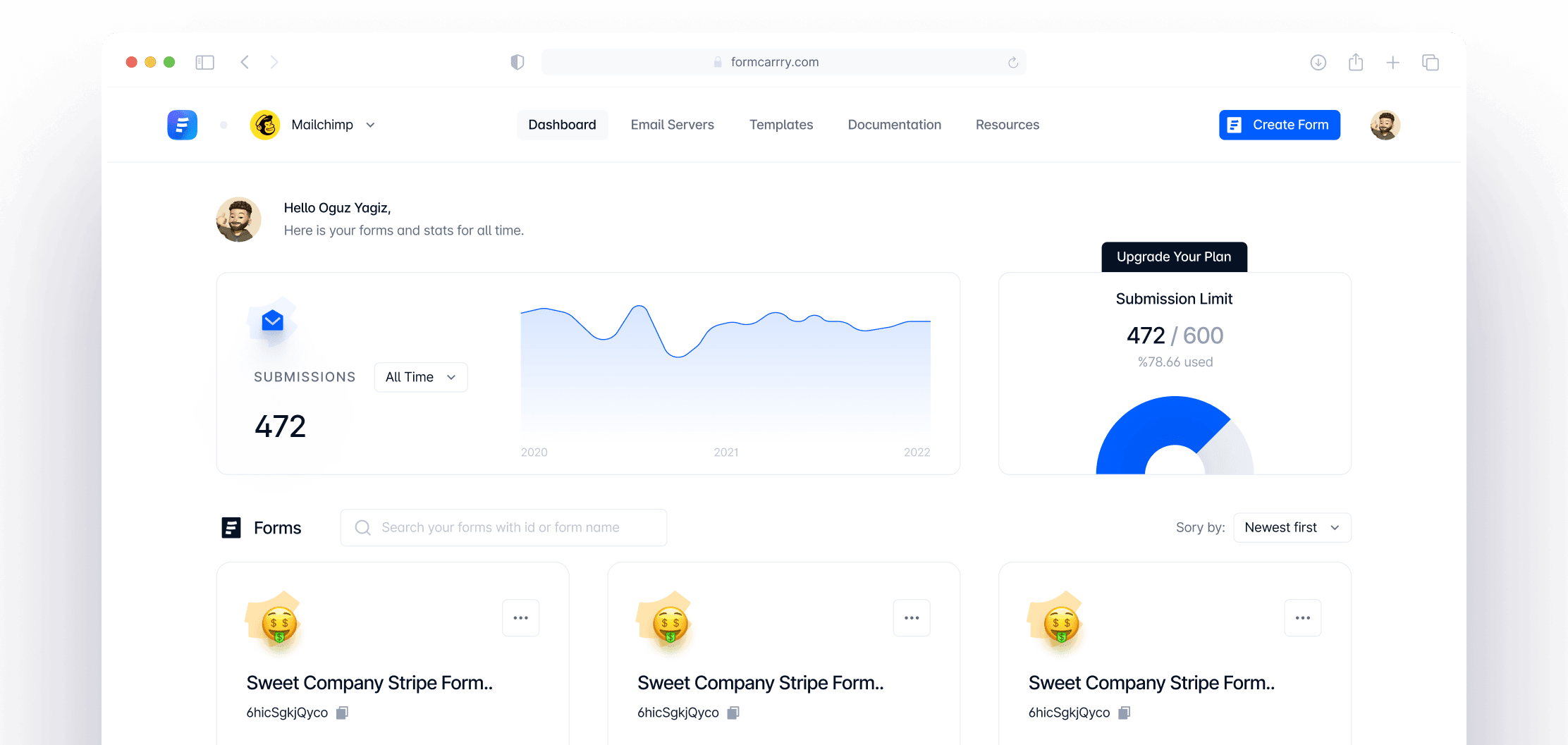
Sign up to formcarry then create your first form backend

You can follow the steps like in the video above 👆
Configure your HTML form template and copy the code
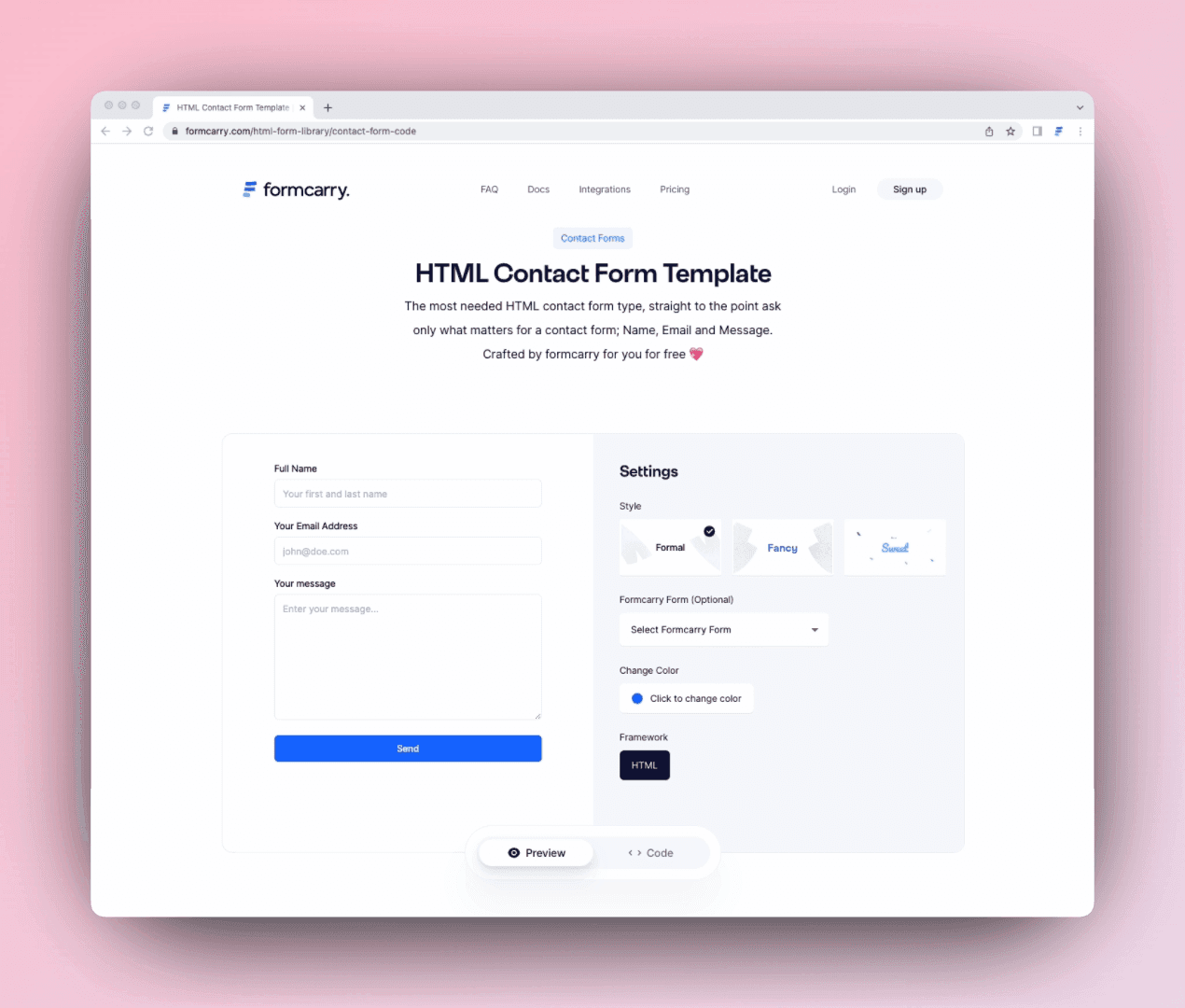
By doing that you will get a fully working form that you can collect messages and get emails.
Paste your code inside your project.
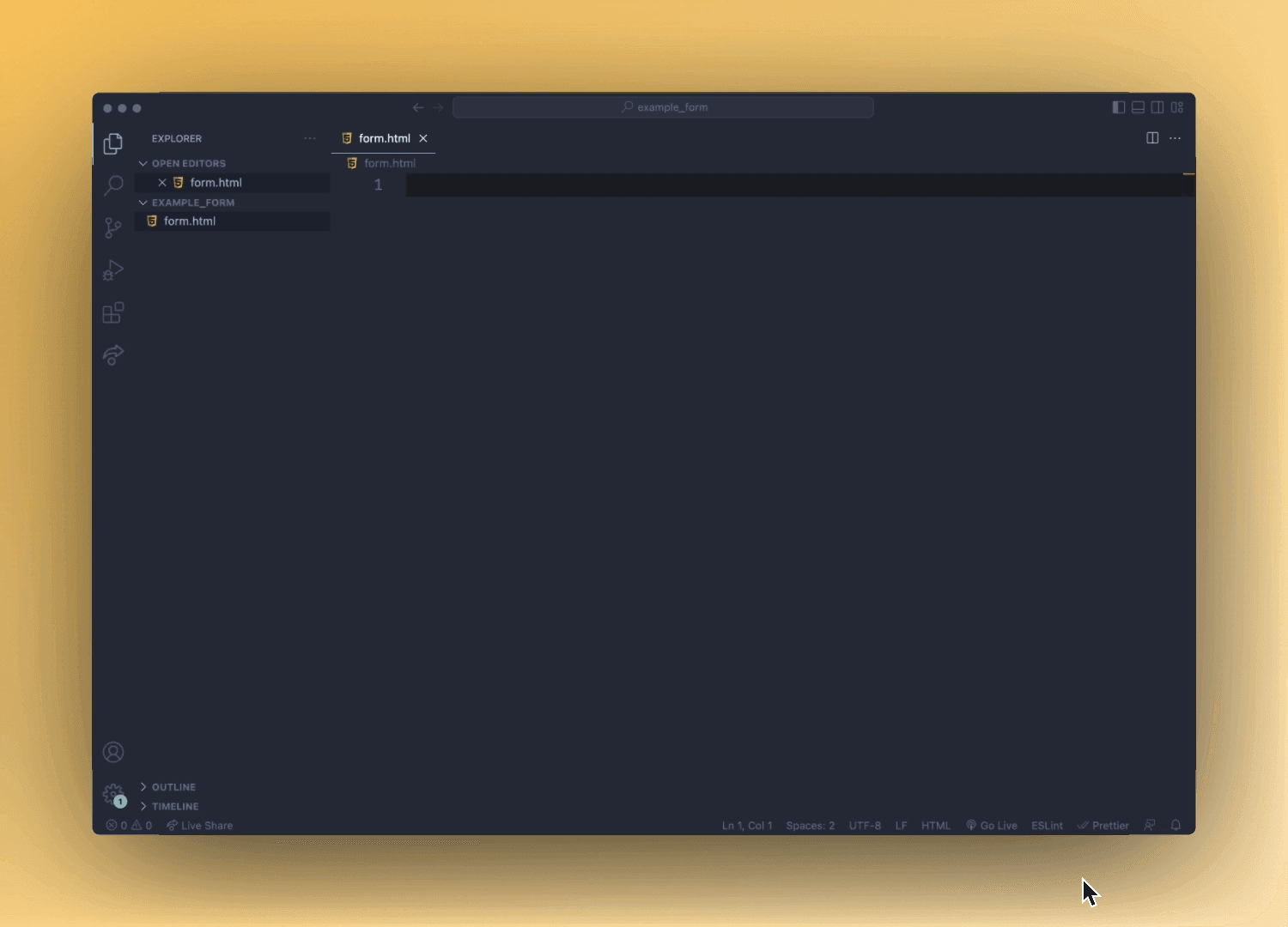
If you are in a rush and want to quickly test it, consider using CodeSandbox to quickly test the code.
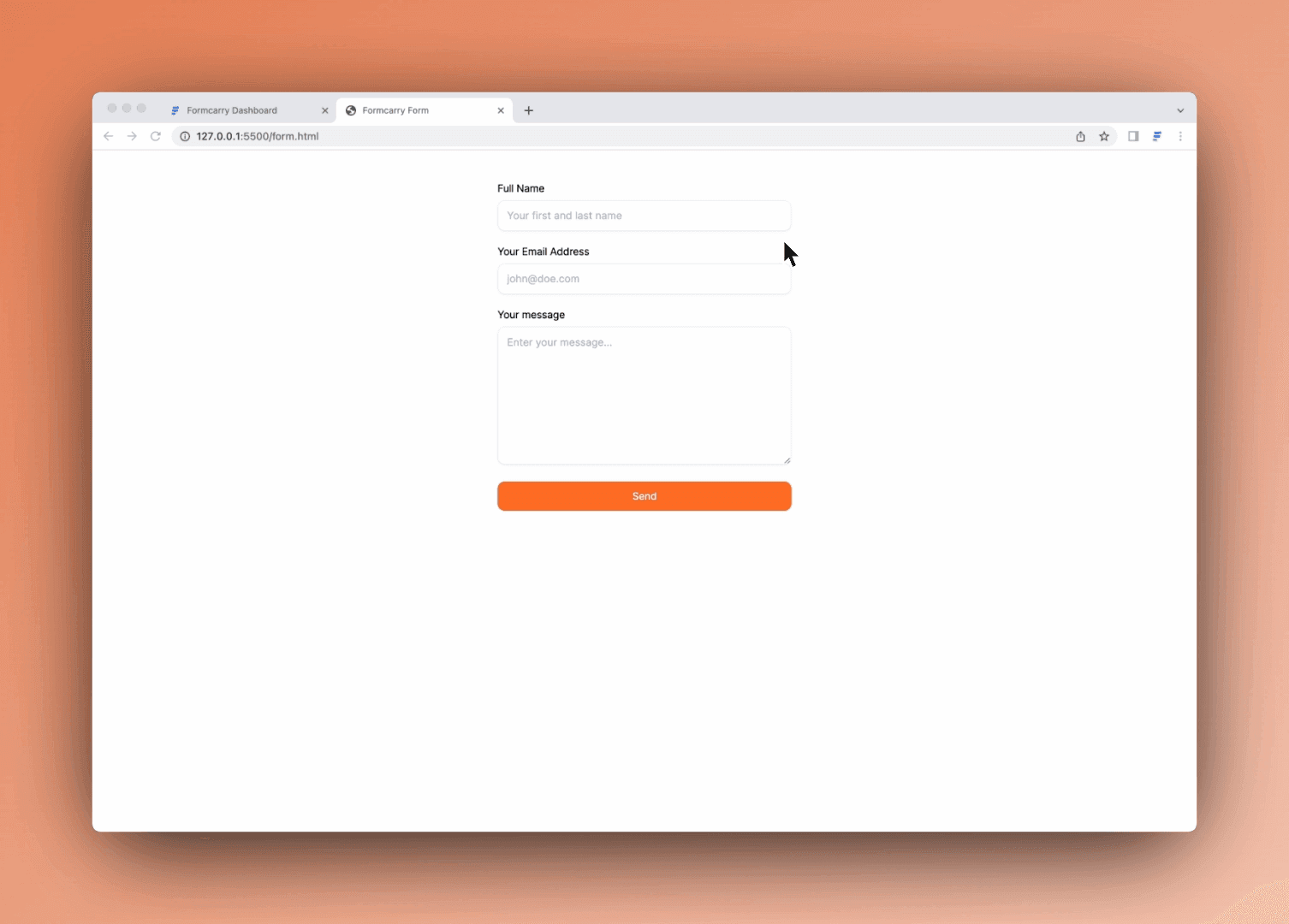
Collect submissions ✨
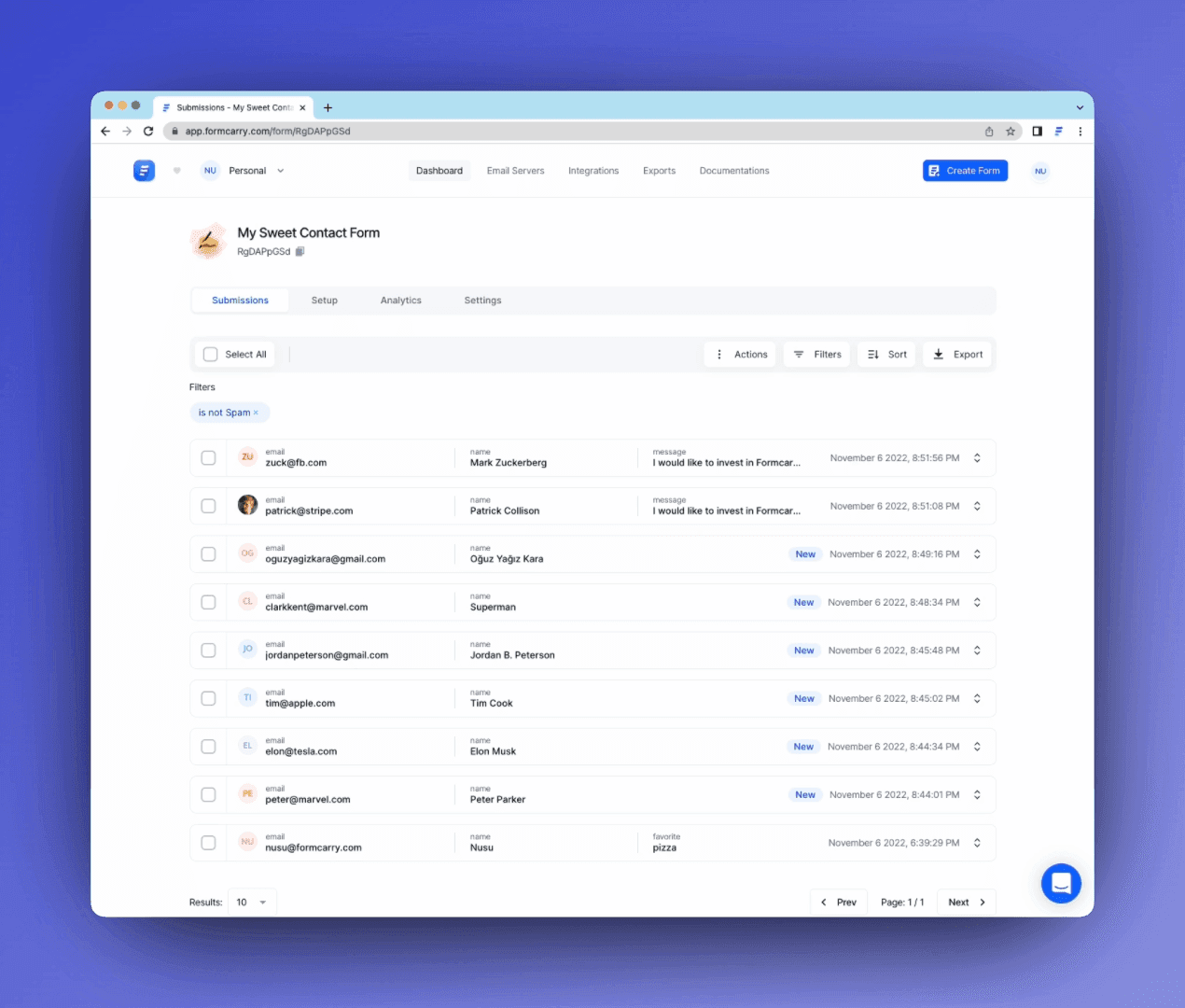
The code you got is completely working, if you submit your form you'll get your messages into the formcarry dashboard.
Framework Guides
Use your form with any framework


User Manual
What is a sales lead form?
A sales lead form is a type of online form used to collect information from potential customers in order to generate leads for a business. This information is usually used to follow up with prospects and convert them into paying customers. Sales lead forms typically include fields such as name, email, phone number, and message, and can be integrated into a company's website or landing page. The goal of a sales lead form is to capture the contact information of potential customers, allowing businesses to reach out and start building relationships that could lead to sales.
When should you use a sales lead form?
A sales lead form is typically used when a business wants to collect information from potential customers in order to generate leads. Here are a few scenarios when using a sales lead form might be beneficial: Website lead capture: A business can add a sales lead form to their website, allowing visitors to easily submit their contact information and express interest in the company's products or services. Landing pages: Sales lead forms can also be used on landing pages to capture information from visitors who click on an advertisement or other promotional material. Event follow-up: At trade shows, events, or other promotional activities, a business can use a sales lead form to gather information from attendees who are interested in learning more about their products or services. Lead generation campaigns: A sales lead form can be used as part of a lead generation campaign, where a business actively seeks out potential customers through various channels, including email, social media, or advertising. By using a sales lead form, businesses can effectively collect valuable information from potential customers, helping them to generate more leads and grow their customer base.
Sales lead form vs contact form: what is the difference?
A contact form invites general questions, while a sales lead form is built to qualify buyers: it always captures a direct phone number and often a company name or budget so your sales team can follow up fast. If you only need general inquiries, use our contact form generator instead.
Send sales leads to your CRM
Connect the form to Formcarry and every lead can reach HubSpot, Salesforce, or Pipedrive automatically through Zapier. Browse the apps and integrations to wire your pipeline in a few clicks.
Integrations
Integrate your form submissions


LET US EXPLAIN
Frequently Asked Questions
How do I create a sales lead form?
There are a few different ways to create a sales lead form. You can use the generator above, or build other form types with our free HTML form generator.
What information should I include in a sales lead form?
Name, email, phone number and message cover most cases; B2B teams should add a company field. Avoid longer forms because abandonment rises with every extra field.
How do I receive submissions from a sales lead form?
You can use formcarry to receive submissions under 2 minutes, or you can write your own code via a backend language such as Node.js or PHP.
Can I upload files to formcarry?
Absolutely! Check out our File upload form tutorial.
I want to get email notifications each time my form gets a new message, is it possible?
Yes! you can even use your own HTML email template ✌️🤓
Does formcarry block spam?
We're the biggest enemies of spam, formcarry is so powerful that it detects 99.8% of spam submissions! We also support Google ReCaptcha integration which will block bot attacks.
BUSINESS, BUSINESS
Why Formcarry?
Formcarry blocks spam by default
90% of the messages you get from a form are going to be spam, if you don’t have a solution to detect spam you’ll quickly train your stimuli to not give enough attention to submissions, that might cause you to miss important messages and in time you’ll feel bored of it, Formcarry detects 99.8% of the spam submissions by default without any configuration.
Formcarry is secure
GDPR and CCPA put real pressure on businesses to avoid data breaches, our only job is form messages so we take this matter really seriously.
Formcarry is always online
Most of the forms just got broken by themselves and nobody’s noticing it, your email server might stop working, or emails you got can be land on the spam folder or simply your code gets broken over time. If you use formcarry, we’ll handle everything about these scenarios so you don’t have to worry.
Formcarry is integrated with 3000+ apps
Formcarry can be instantly integrated through +3000 apps by using Zapier, you can quickly set up marketing flows that will help your business.
Formcarry saves time and headache
Set up a working form endpoint in about 2 minutes instead of building and maintaining a backend, an email server, and spam filtering yourself.
Formcarry dashboard is the best
Formcarry dashboard is made only for showing form data, it has detailed filtering and sorting mechanisms to help you analyze and export your data.